

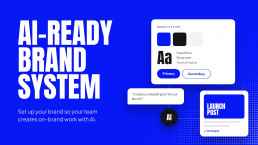
How to Set Up an AI-Ready Brand System Your Team Can Actually Use
Your team is already using AI to write posts, build decks, and draft landing pages. The question is whether the results look and sound like your brand, or like everyone else’s.
Most brands still live in a PDF. AI tools can’t follow a PDF nobody opens, and neither can a busy team. Here is how to turn your brand into a system that people and AI tools can actually use.
A system, not a PDFAn AI-ready brand system puts your logo, colors, typography, components, and templates into a tool like Figma, adds written brand rules your AI tools can follow, and gives your team a website they can update on their own, with clear review steps before anything goes out.
Why PDF Brand Books Stop Working
A brand book is a snapshot. It explains the rules, but it doesn’t help anyone follow them. So people copy old files, guess the colors, and pick the font that looks close enough.
AI makes this faster, and worse. Ask an AI tool for a social post or a landing page without your brand rules, and it will happily invent its own colors, layouts, and tone. Multiply that by every person on your team, and your brand slowly falls apart.
A brand you can’t use is a brand you don’t really have.
What an AI-Ready Brand System Includes
A working brand system has six parts. Each one makes it easier to stay on brand without thinking about it.
Brand Foundations
Your positioning, audience, and messaging. Without strategy, no tool can tell what “on brand” means.
A Design System in Figma
Logo, colors, typography, and spacing saved as reusable styles and components, not as pictures in a PDF.
Ready-Made Templates
Social posts, presentations, one-pagers, and emails your team can edit without starting from a blank page.
Written Brand Rules
Your voice, words to use and avoid, and examples of good work, written in plain language that people and AI tools can follow.
Connected AI Tools
Your brand rules and assets loaded into the AI tools your team uses, so new work starts on brand.
A Website Your Team Can Update
A custom website that’s easy to update without coding, with ready-made sections for building new pages without a developer.
How to Set It Up, Step by Step
Start with strategy, not tools
Before you open Figma or an AI tool, write down who you serve, what makes you different, and how you sound. If your team can’t agree on this, no tool will fix it.
Build the system in Figma
Save your colors, type, and spacing as styles. Turn repeated elements, like buttons, cards, and headers, into components. Then build templates for the things your team makes most often. Figma is our first choice because components and styles scale with your team. Canva works well for simpler everyday assets.
Write your brand rules for people and AI
This is the step most companies skip. Describe your voice in a few clear sentences, list what to do and what to avoid, and include real examples of on-brand headlines, posts, and pages. AI tools follow specific instructions far better than vague ones like “be professional.”
Connect your AI tools
Give your AI tools the same rules and assets your team uses. For example, set up a shared project in Claude with your brand rules, messaging, and examples, so everyone starts from the same brand instead of a blank chat.
Build a website your team can grow
Build your site from the same system, with ready-made sections your team can combine into new landing pages. Choose a setup your team can update without any coding knowledge: flexible for them, and hard to break.
Train your team and set review steps
A system only works if people use it. Show your team where everything lives, how to use the templates and AI tools, and what to check before anything goes out.
Ask yourselfIf a new hire had to make an on-brand landing page tomorrow, could they do it without asking anyone for help?
What to Always Check by Hand
AI speeds up the work. People still own the result. Before anything goes out, check:
- Facts and numbers: AI can state wrong figures with total confidence.
- Logo and colors: make sure the real logo files and exact brand colors are used.
- Tone: does it sound like you, or like generic marketing copy?
- Claims: anything legal, financial, or medical needs a human review.
- Accessibility: text contrast, alt text, and readable font sizes.
Common Mistakes to Avoid
- Starting with tools instead of strategy. Tools can only repeat what you’ve defined.
- Vague brand rules. “Modern and friendly” means something different to everyone, including AI.
- Too many templates. Start with the five things your team makes most, then grow.
- No owner. Someone needs to keep the system up to date as your brand grows.
- Skipping training. The best system fails if nobody knows how to use it.
Do It Yourself, or Have It Set Up for You?
If your brand is already clear and someone on your team knows Figma well, you can follow these steps on your own. If you are building a new brand or transforming the one you have, it’s easier to set up the system as part of the branding project.
That’s how we work at Pill Creative Studio. Every brand we create comes as an AI-ready brand system: set up in Figma, connected to AI tools, built into a custom website that’s easy to update, with training for your team. It’s included in our branding packages.
Frequently Asked Questions About AI-Ready Brand Systems
What is an AI-ready brand system?
An AI-ready brand system is your brand set up as working tools instead of a PDF: logo, colors, typography, components, and templates in a design tool like Figma, plus written brand rules your AI tools can follow, and a website your team can update on their own.
Can AI tools follow brand guidelines?
Yes, if you give them clear, written rules and real examples. AI tools follow specific instructions much better than vague ones. Describe your voice, list what to do and avoid, and include examples of on-brand work.
Do I still need a designer if I use AI?
Yes. AI speeds up everyday work, but a designer or marketer should still review anything important before it goes out, and the brand system itself needs to be designed well in the first place.
Should we use Figma or Canva for our brand system?
Figma is the stronger choice for a complete brand system, with components, styles, and templates that scale with your team and connect well with other tools. Canva works well for simpler, everyday assets.
How long does it take to set up an AI-ready brand system?
For an existing, well-defined brand, a basic setup can take a few weeks. If you are building or changing your brand at the same time, the system is set up as part of the branding project.
Ready for a Brand Your Team Can Use?
Tell us about your brand and your team. We’ll show you what an AI-ready brand system would look like for you.
How Much Does Branding Cost? A Guide for Startups and Growing Businesses
Branding can cost $5,000 or $50,000+. The difference isn’t agency hours, it’s what your brand needs to do. Here’s how pricing really works.
0 Comments12 Minutes
When Is It Time to Rebrand? 7 Signs Your Business Has Outgrown Its Brand
Your business has evolved, but has your brand kept up? Here are 7 signs your company has outgrown its brand, with a real NextLM example, when a refresh is enough versus a full rebrand, and how to rebrand without losing search visibility.
0 Comments18 Minutes

AI Can Do Almost Everything. Except One Thing.
AI writes our copy, builds our websites, and automates our workflows. So why is demand for one creative job rising instead of disappearing? On Fiverr, searches for it jumped 76%.
0 Comments10 Minutes
